Desk phone options

Phones we install, and the ones you can keep

Every phone here works with Zoom Phone. We order it, set it up before it arrives, and install it. Prices are what we typically charge per unit and can change with supply.

At a glance

Compare the desk phones

PhoneBest forScreenWi-FiBluetoothGigabitApprox. price
Yealink T33GFront desk, back office2.4″ colorNoNoYes$102
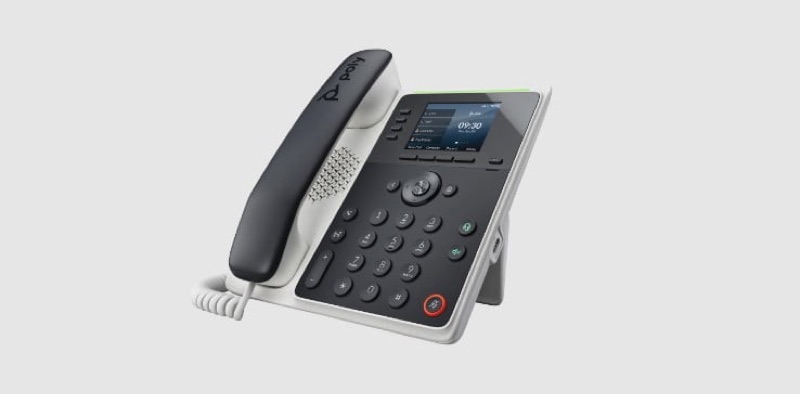
Poly Edge E220Most office desks2.8″ colorNoYesYes$156
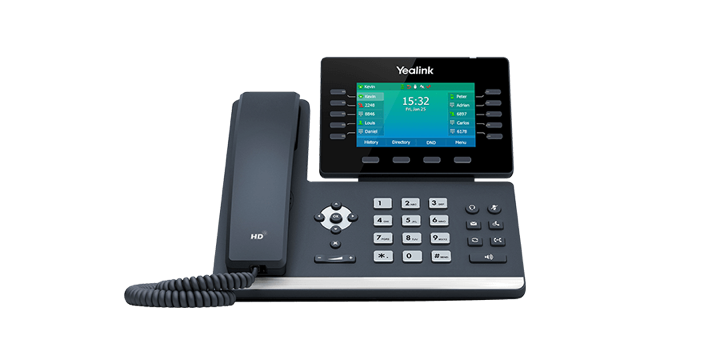
Yealink T54WHome office, headset users4.3″ color, tiltsYesYesYes$210
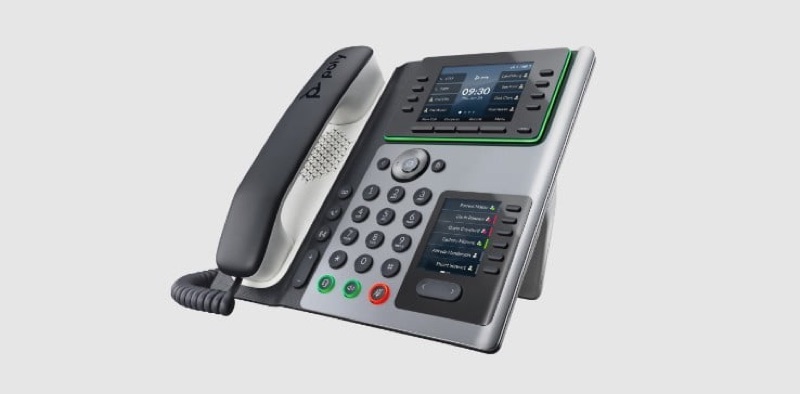
Poly Edge E450Reception, managers4.3″ touchYesYesYes$348
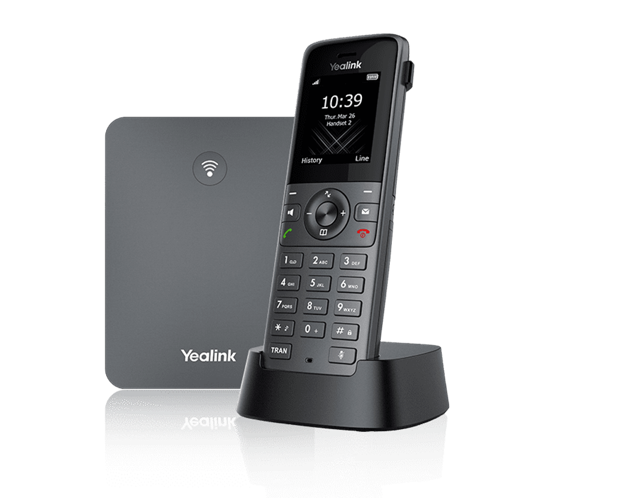
Yealink W73PHomes, shops, warehouses1.8″ color handsetCordless DECT base, up to 10 handsets$180

All desk phones here support Power over Ethernet (PoE), so one network cable carries both power and data. Without a PoE switch, add a power adapter (about $12–$18).

Desk phones

Pros and cons, phone by phone

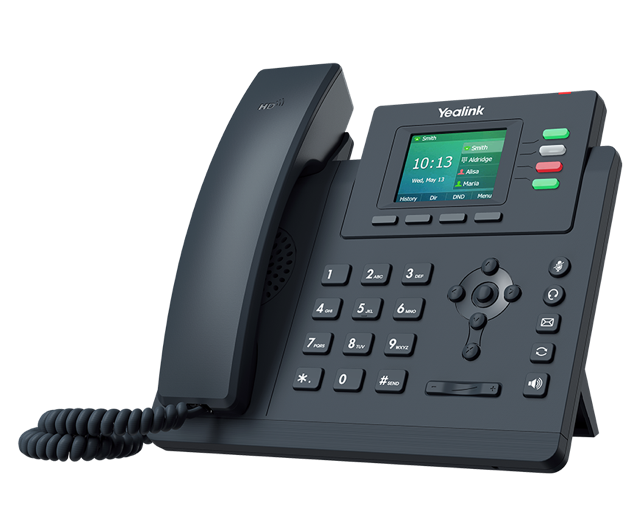
Yealink T33G desk phone
Best budget phone

Yealink T33G

$102approx. each

A plain, dependable color desk phone. It does calls, transfers, hold and voicemail well and nothing fancy.

  • 4 lines
  • 2.4″ color
  • Gigabit
  • PoE
  • HD audio

Pros

  • Lowest cost per desk
  • Gigabit port, so the computer can plug through it
  • Easy for anyone to use

Cons

  • Small screen, few programmable keys
  • No Wi-Fi or Bluetooth headset support
  • Speakerphone is fine, not great
Ask about the T33G →
Poly Edge E220 desk phone
Our default office phone

Poly Edge E220

$156approx. each

Poly's audio processing makes this the clearest-sounding phone in its price range. Line keys light up so you can see who's on a call.

  • 4 lines
  • 2.8″ color
  • Bluetooth headsets
  • Gigabit
  • PoE
  • Noise blocking

Pros

  • Excellent call and speakerphone audio
  • Blocks background noise on your side
  • Bluetooth for wireless headsets
  • Busy lights show who's on the phone

Cons

  • No Wi-Fi; needs a network cable
  • Screen is small for long contact lists
  • About $54 more than the T33G
Ask about the E220 →
Yealink T54W desk phone
Best for home offices

Yealink T54W

$210approx. each · or about $8/mo to rent through Zoom

Built-in Wi-Fi means you can put it anywhere in the house without running a cable. The large tilting screen is easy to read.

  • 16 lines
  • 4.3″ color, tilts
  • Wi-Fi
  • Bluetooth
  • USB
  • Gigabit
  • PoE

Pros

  • Works over Wi-Fi, no new wiring
  • Pairs with Bluetooth headsets and your cell
  • Large, adjustable screen
  • Available on Zoom's monthly hardware rental

Cons

  • Wi-Fi calls are only as good as your Wi-Fi
  • Large footprint on a small desk
  • More than most staff need
Ask about the T54W →
Poly Edge E400 series desk phone
Best for reception

Poly Edge E450

$348approx. each

A touchscreen phone for whoever answers the main line. See every extension's status and transfer with a tap.

  • 16 lines
  • 4.3″ touch
  • Wi-Fi
  • Bluetooth
  • USB
  • Gigabit
  • PoE

Pros

  • Fast transfers with the touchscreen
  • Shows many extensions at once
  • Same excellent Poly audio as the E220
  • Wi-Fi and Bluetooth built in

Cons

  • Twice the cost of an everyday phone
  • Touchscreen takes a little getting used to
  • Overkill for a single-line home
Ask about the E450 →

Photo: Poly Edge E400 series. Poly shows the E400 family together; the E450 is its touchscreen model.

Cordless & conference

For homes, shop floors and meeting rooms

Yealink W73P cordless handset and base
Best cordless

Yealink W73P

$180base + 1 handset · extra handsets about $90

One base on the network, up to 10 handsets around the house, store or warehouse. Feels like the cordless phones people already know.

  • DECT
  • Up to 10 handsets
  • About 50 m indoors
  • PoE base

Pros

  • Familiar for home users
  • Walk around while you talk
  • Add handsets any time

Cons

  • Handsets need charging
  • Large buildings may need a repeater
  • Fewer features than a desk phone
Ask about cordless →
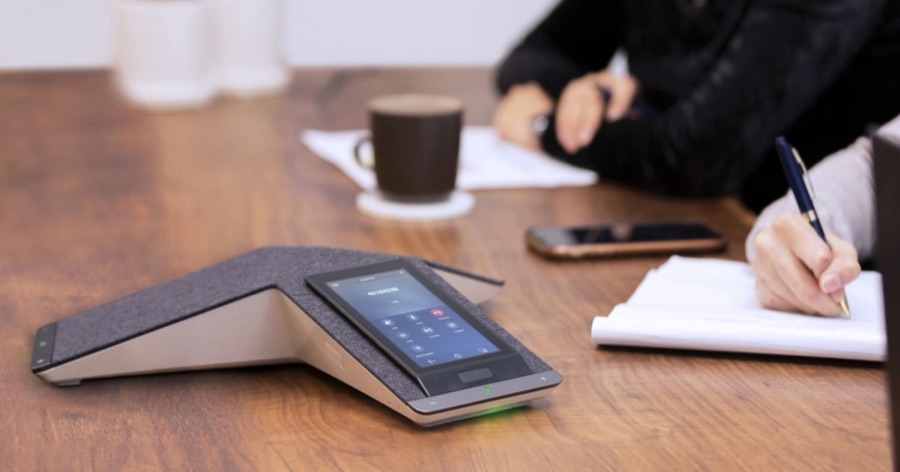
Poly Trio C60 on a meeting table
Conference rooms

Poly Trio C60

$1,020approx. each

A conference speakerphone that picks up everyone around the table and can also act as the speaker for Zoom Meetings on a laptop.

Pros

  • Picks up voices across a full room
  • Doubles as a laptop speakerphone

Cons

  • Expensive; only worth it for a real meeting room
  • Small rooms do fine with a $180 USB speaker
Ask about conference rooms →

Keep your current phones

Grandstream adapters

An analog telephone adapter (ATA) plugs into your router and gives regular phones a Zoom Phone line. Plug your adapter into an existing wall jack and, with the old copper line disconnected, every jack in the house can ring again.

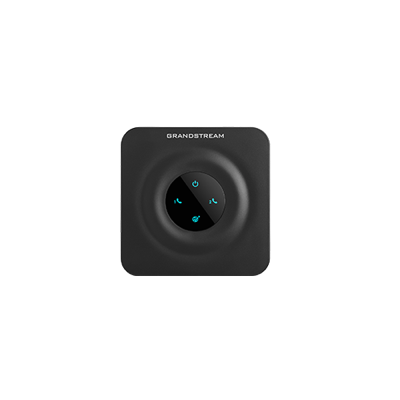
Grandstream HT802 adapter
Most homes

Grandstream HT802

≈ $54

2 phone ports. One home line plus a fax, or two separate lines.

Ask about adapters →
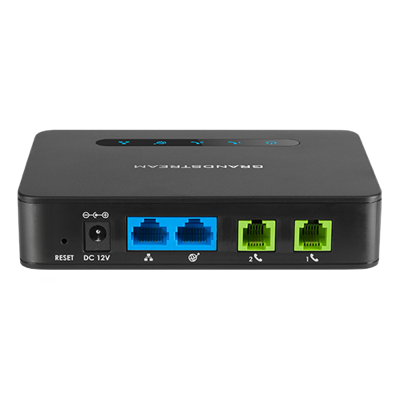
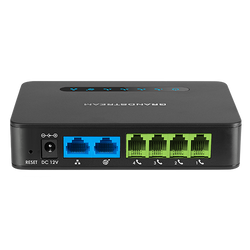
Grandstream HT812 adapter, rear ports
Small office

Grandstream HT812

≈ $72

2 phone ports plus a gigabit network port, so it can sit between your router and a computer.

Ask about adapters →
Grandstream HT814 adapter, rear ports
Several lines

Grandstream HT814

≈ $114

4 phone ports for an analog key system, a set of fax lines or a multi-line home office.

Ask about adapters →

What adapters can reuse

  • Corded and cordless home phones
  • Fax machines (we tune the adapter for fax)
  • Many older analog key systems and wall phones
  • Your existing phone wiring and jacks
What usually can't be reused. Digital phones tied to an old PBX (many Avaya, Mitel, NEC and Nortel sets) speak their own language and don't work with adapters. We'll check your phones during the line review and tell you before you buy anything. Adapters also don't offer features like busy lights or one-touch transfer.

BYOP · Bring your own phone

Already have phones, or want to buy your own?

You don't have to buy equipment from us. If you'd rather buy your own IP phones, we're happy to set them up on Zoom Phone for you.

  • Check first, then order. Send us the make and model before you buy. Not every IP phone works with Zoom Phone, and we'd hate for you to pay for one that doesn't.
  • IP phones you already own can often be reused too. Send us the model numbers and we'll tell you which ones will work.
  • Setup is the same as ours. We configure, test and install your phones with the same per-device setup fee as any phone we supply.

Building & network

Extras that come up often

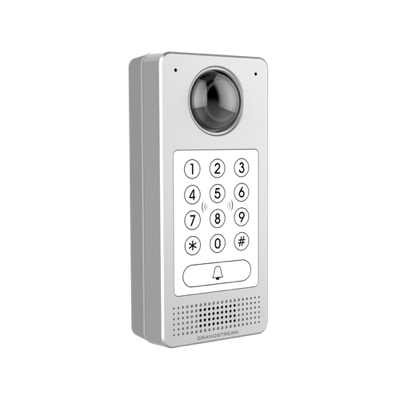
Grandstream GDS3710 video door phone
Door phone

Grandstream GDS3710

≈ $396

Rings desk phones and the app, shows video, and unlocks the door. Keypad and key-card entry built in.

Algo 8301 paging adapter
Overhead paging

Algo 8301

≈ $408

Zoom-certified adapter that plays pages from any phone through your existing overhead speakers. Can also ring scheduled bells.

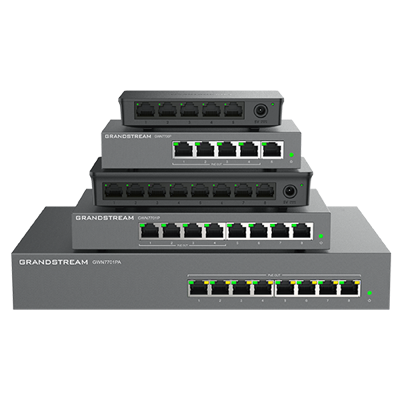
Grandstream GWN7700 series PoE switches
PoE switch

Grandstream GWN7701PA

≈ $156

8 PoE+ ports power up to 8 phones through their network cables. No power bricks at each desk. Photo shows the GWN7700 family; the 7701PA is the bottom unit.

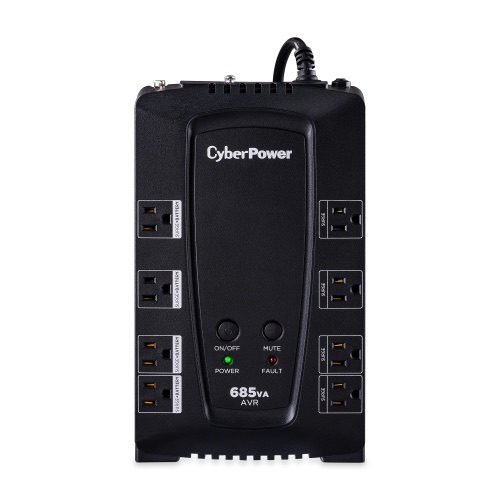
CyberPower CP685AVR battery backup
Battery backup

CyberPower CP685AVR

≈ $108

Keeps your modem, router and switch running through short power outages. 8 outlets, 685 VA.

Buy or rent? You can buy phones outright, or rent some models through Zoom's Hardware as a Service for a monthly fee (the T54W is about $8/month). Renting costs more over 2–3 years but spreads the cost and includes replacement. We'll price both.

Product photos courtesy of Yealink, HP Poly, Grandstream, Algo and CyberPower, from their product pages. Products are shown for identification; trademarks belong to their owners.

Pick your phones and see the total

The estimator adds equipment, installation and monthly service.